
The internet is filled with various dangerous cyber attacks ready to render your website or web application useless in a matter of seconds if enough security is not put in place to avoid or prevent these attacks.
Denial of Service attacks are one of the most common and dangerous attacks targeting websites, web servers or applications. A malicious user can use them to render the system unuseable to its intended users temporarily or permanently.
DoS is carried out by an attacker to ensure a web resource (site, application, server) is unavailable for the reason it was created for a period of time by disrupting the system normal functioning. This is usually made possible by flooding a targeted resource with more than the usual number of requests. This is done until the traffic surge is unable to be processed by the server, causing the system to crash resulting in denial-of-service.
There are many methods the attacker can employ to carry out this attack to disrupt the normal functioning of web services and its data. If the attack is successful, it can prevent users from accessing the resources of the targeted website (e.g mails, dashboards, personal information) and other resources connected to the website.
The attacker can employ the use of:
- Flooding attacks by creating incomplete requests connections to the targeted resource, thereby flooding the resource server with this connections which consumes server resources and giving it hard time to respond to legitimate connections.
- Crash attacks which aim is to flood the resource with high requests and exploiting the system vulnerabilities to cause a crashing of the system
- DDoS attacks where the attacker makes use of multiple malware-infected devices and machines from different sources and networks to attack the targeted resource. This is actually the most dangerous method as high traffic is coming from different sources and don’t know which is legitimate. This employs the use of botnets that take control of this system and send these massive requests.
A successful DoS attack could lead to the loss of money, reputation, brand, users’ trust, user data and so on.
In this article, you are going to learn how to defend your website against Denial of Service (DoS) attacks in three steps.
Step 1: Identify Denial of Service Attacks
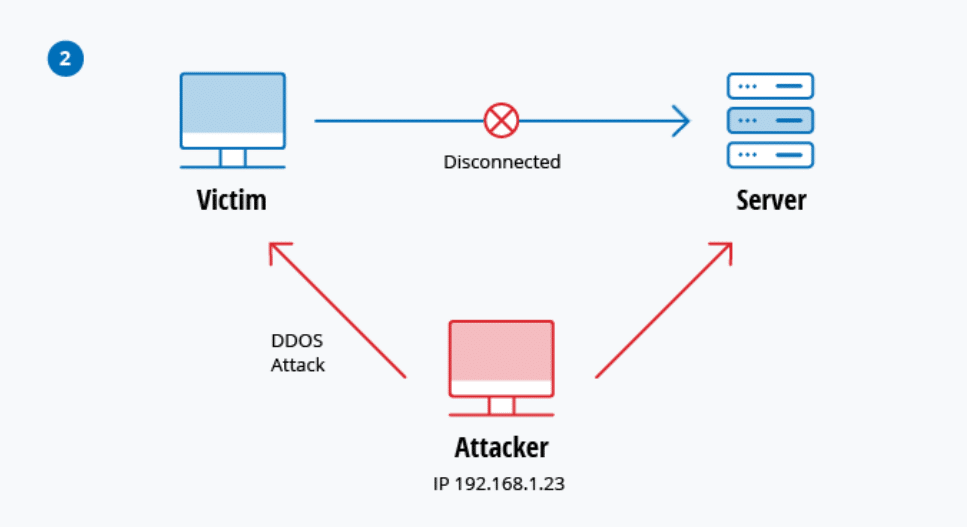
Identifying DoS attacks can be a little tricky because not every high surge in traffic indicates an attack. Most times, one of the indicators of DoS attacks is having a sudden high surge in traffic, which can either be a good or bad sign.
A good sign is if you just launched a marketing campaign for your website or a celebrity posted your website link. This could lead to a surge in traffic due to a large number of users trying to access it. A bad sign is if it’s coming from a malicious user trying to overwhelm your system and render it unusable to your users.
Slow network performance, such as when accessing website pages or unavailable or inaccessible websites are indicators for both DoS attacks and increase in website traffic.
The best way to fix this is to have a rule and a baseline on what is the normal activity or increase of your website traffic and also take into consideration when you run campaigns or something similar. With this baseline, you can better understand your website traffic, determine if you are under attack based on the rise and fall of the network activity.
If the slow performance continues for 24 hours or days with no signs of coming down, then there’s a high chance it’s a DoS attack and you should start thinking of how to defend against it.
You should start monitoring your website performance, system CPU usage and bandwidth to check for any signs of crash and quickly contact your hosting provider.
Step 2: Respond and Stop Denial of Service Attacks
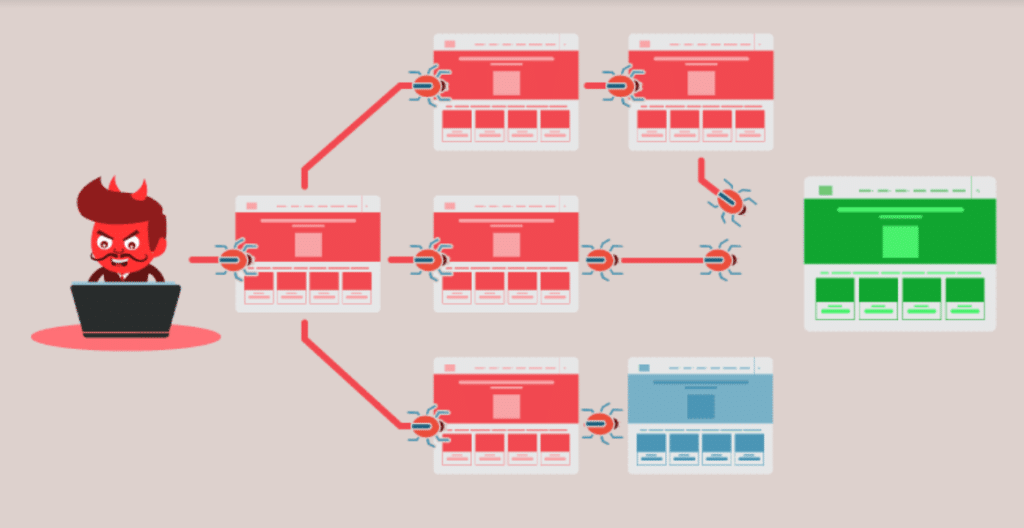
As soon as you have identified that your website is under DoS attacks, the next step is to respond to it and protect your website from crashing.
If you don’t have any security in place for this kind of attack, the first thing to do is to contact your hosting provider immediately. They have more experience dealing with this kind of attacks and know many methods to stop the attack.
After contacting the hosting provider, the next thing you should start looking out for is employing network security systems, like firewalls. You can also consider using DoS protection services such as cloudflare that may be supported by your service provider.
Enabling firewalls can help filter and reject requests coming from suspicious IPs. The firewall will catch any kind of requests coming in and filter the bad ones out. You’ll need to enable the Web Application Firewall on your hosting if you don’t have it enabled. You can do a quick search on how to enable it or you can ask hosting providers to help you enable it.
By this time, your hosting providers should already be working on stopping the attacks. The next thing you’d need to do is to communicate a downtime to your users to better gain their trust and reduce any tensions from them not being able to access the website services.
Website downtime can cause a lot from money loss to lost customers and a bad reputation. It’s advisable to let your users know what’s happening and let them know it will be resolved soon.
Once your hosting provider has applied a measure and your services are beginning to regain connections and getting stable, you need to communicate this to your users and let them the attack has been resolved and they are once again able to access the services.
Step 3: Prevent Denial of Service Attacks
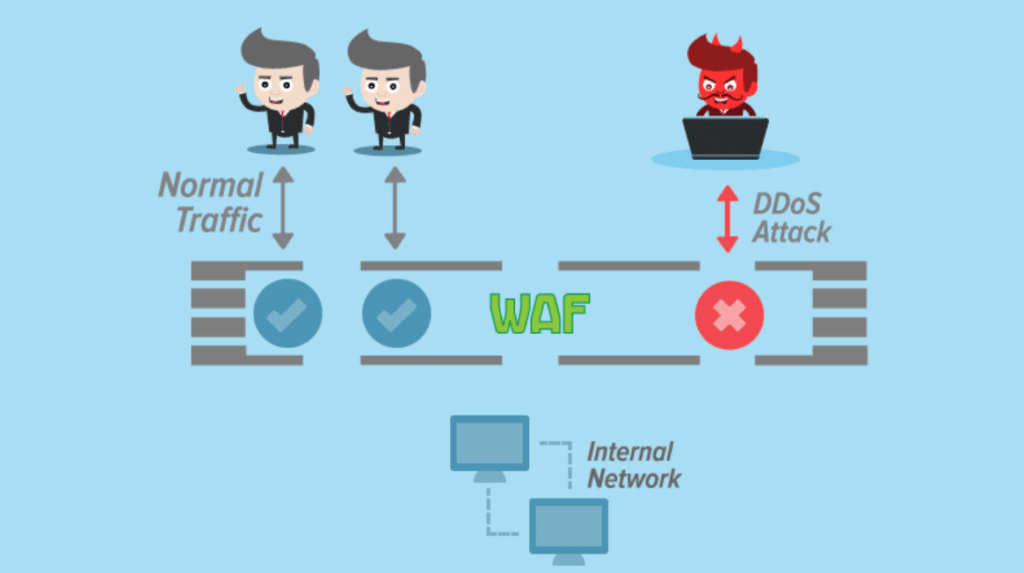
After recovering from attacks, you’ll need to review your security measures in order to prevent another DoS attack from happening again.
Preventing DoS attacks is easier and cheaper than trying to stop and recover from one with little or no security measures in place.
To prevent this kind of attacks, ensure you work with your host providers to have a service-level agreement that includes DoS defence provisions. Hosting companies or service providers employ various tools and methods to help protect your system against any DoS attacks.
Ensure you have the right system administrator with knowledge on how to manage the system and familiar with services to prevent attacks like DoS.
Have your system administrator:
- Set up monitoring tools to monitor your website activity/traffic and set up alerts if the activities are going over the usual range.
- Set up firewalls and intrusion prevention systems tools your system to monitor suspicious traffic and block known-malicious and illegitimate traffic.
- Use up to date and latest patches of tools in maintaining your server to prevent any vulnerabilities creeping in.
- Use fast, reliable Hosting Service providers with good customer support.
- Setup multiple tools and techniques to prevent against any attack
Conclusion
So far, we have explored what Denial of Service attacks are, how malicious users can use them against you to cause havoc, how you can detect these attacks, how to respond and stop these attacks and how to prevent them from happening in the future.
You actually don’t have to be the target of a DoS attack to be impacted. For instance, if your service providers (e.g.internet service provider, cloud service provider, host providers) are attacked, you may experience loss of service, which indirectly affects your users as well.
By now you should have a basic knowledge of what DoS is and how to resolve and prevent these kinds of attacks.