Best AI Workspace Security Tools in 2026: Endpoint Sensors vs SSE vs Microsoft DLP
Controls for the AI tools, agents, and vibe-coded apps employees run on their own laptops, from three new endpoint platforms and three incumbents.
Microsoft’s own documentation says the Purview extension for Chrome only works on Windows devices. That one line explains a lot about how AI usage slips past the 2 controls most companies already pay for: endpoint DLP and a security service edge (SSE).
The usual setup looks finished on paper. Endpoint DLP blocks a credit card number pasted into ChatGPT in the browser, the SSE logs which AI sites people visit, and the quarterly report shows shadow AI trending down. Meanwhile a finance analyst is running a coding agent in a terminal, an MCP server on a laptop is reading a shared drive, and a marketing script built in an afternoon is calling a payment API with a personal key. None of that crosses a browser tab.
AI workspace security is the category that tries to see and govern that activity: the AI tools, agents, add-ons, and AI-built apps on employee devices, and what they do when they run. The split that matters is where the control sits. Pluto, Ent, and Glow put a sensor on the endpoint and judge actions there. Netskope and Zscaler extend the traffic inspection you may already license. Microsoft Purview extends DLP and insider risk policy across Microsoft 365, Edge, and onboarded devices.
The three startups are new and listed after the established vendors. Their capabilities come from launch material and are stated, not independently demonstrated, so the questions below matter more than the feature lists.
How we evaluated
We read each vendor’s product pages, launch announcements, and public documentation on 14 Oct 2026, and checked every vendor against the same questions: what AI activity it can see on a device, whether it can stop an action while it runs, how it handles add-ons such as MCP servers and skills, and what you need to license first. Where public material does not cover a question, we write “not documented”.
| Tool | Best for | What to check |
|---|---|---|
| Netskope One AI Security | AI discovery, DLP, and MCP control on an existing SSE | Netskope One modules · quote |
| Zscaler AI Protect | Inline prompt inspection and AI app control through Zero Trust Exchange | AI Protect · quote |
| Microsoft Purview | DLP and insider risk for AI in Microsoft 365 and Edge | Per-user license · Windows-only Chrome extension |
| Ent | Intent-aware intervention on human and AI-agent actions | Launched Jun 2026 · self-host option · quote |
| Pluto Security | AI tools, agents, add-ons, and vibe-coded apps on employee devices | Launched Oct 2026 · endpoint sensors · quote |
| Glow | Software and AI tool inventory with allow or remove policy | Launched Jul 2026 · no documented EDR · quote |
Netskope
Zscaler
Purview
Ent
Pluto
Glow
Capability matrix: OS coverage, real-time blocking, local-agent visibility
Three questions decide whether a tool can see a coding agent running in a terminal: which operating systems it covers, whether it can block an action as it happens, and whether it sees local agents, models, and MCP servers rather than only browser traffic.
| OS coverage | Real-time blocking | Local agents, models, and MCP servers | |
|---|---|---|---|
| Netskope | Client AI Discovery on Windows 64-bit and macOS | Yes, inline via Next Gen SWG, DLP, AI Guardrails, and Agentic Broker for MCP | Yes, Client AI Discovery finds agents, local LLM processes, and local MCP servers |
| Zscaler | Inline controls are OS-independent for traffic reaching Zscaler; endpoint OS list not documented | Yes, inline prompt and response inspection and browser isolation | Endpoint AI Security announced for local AI tools; scope not documented |
| Microsoft Purview | Onboarded devices; the Chrome extension is Windows only | Yes, warn or block on paste and upload to AI sites from onboarded Windows devices | not documented |
| Ent | Windows, macOS, Linux, and browsers | Yes, just-in-time intervention (launch claim) | Reads local runtimes (launch claim) |
| Pluto | not documented | Yes, stops actions or asks the user to confirm (launch claim) | Yes, inventories agents, skills, MCP servers, and models (launch claim) |
| Glow | not documented | Prevention agents remove disallowed tools; in-flight blocking not documented | Inventories coding agents, MCP servers, and IDE extensions as software |
Each cell is drawn from the vendor documentation or launch material cited in its entry below. Launch claims are marked.
Netskope One AI Security
Best for adding AI discovery, DLP, and MCP control to an SSE you already run
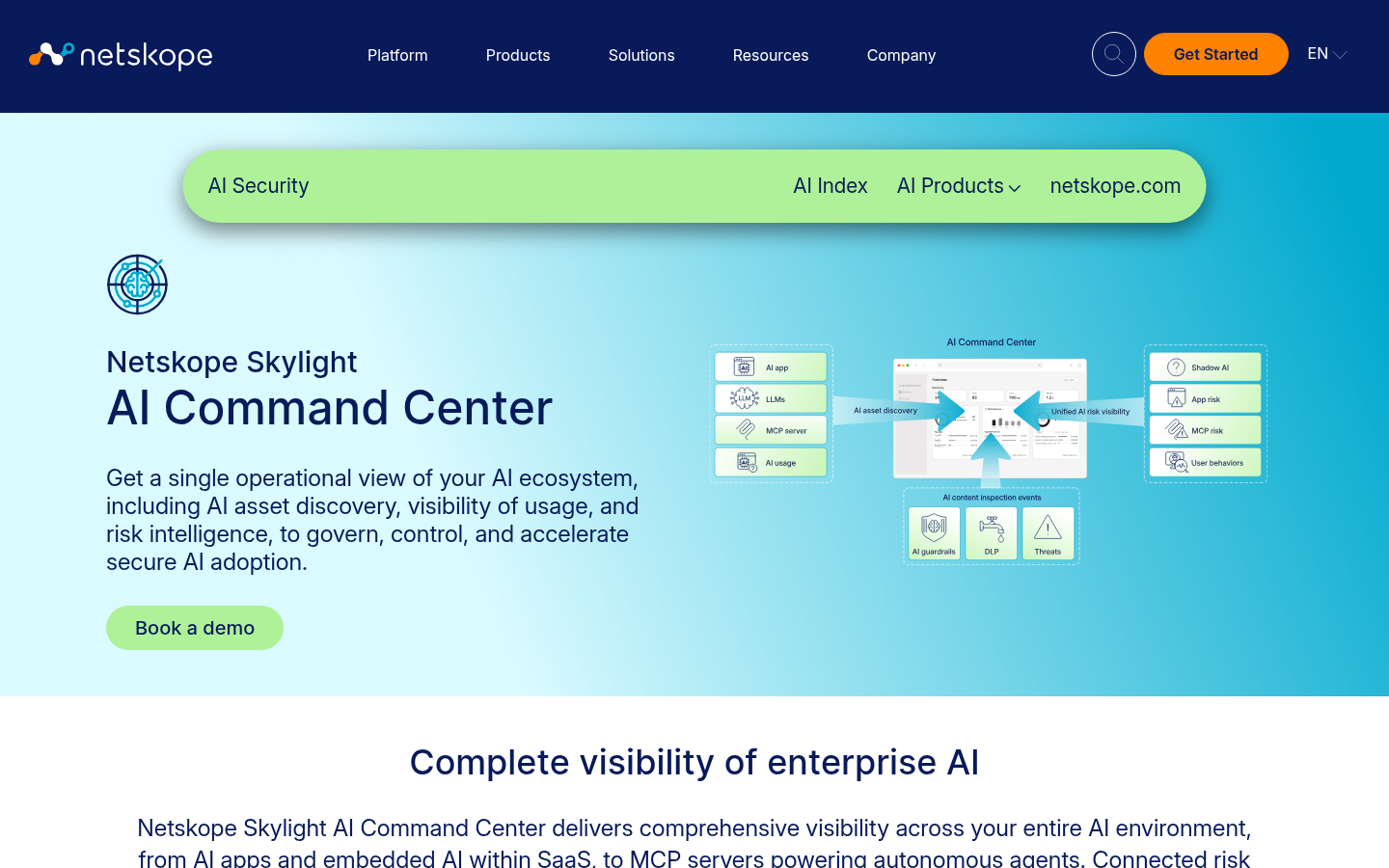
Netskope extends the inspection layer it already sells. Skylight AI Command Center discovers AI apps, embedded SaaS AI, and MCP servers and correlates risk. Client AI Discovery in the Netskope Client finds agents, local LLM processes, local MCP servers, and browser and IDE AI extensions on Windows and macOS, matched against a Netskope-maintained signature file.
Enforcement runs through Next Gen SWG, Netskope One DLP, AI Guardrails, and the Agentic Broker for MCP traffic. If a tool’s traffic does not pass through Netskope, the control has less to work with, which is the gap the endpoint startups target.
Key features:
- AI Command Center discovery and risk correlation
- Client AI Discovery for agents, local models, and MCP servers
- Agentic Broker for MCP traffic
- DLP and AI Guardrails on prompts and data
Why we like it:
For an existing Netskope customer the AI controls arrive in the same policy engine and the same client, with no new agent to roll out.
Limits:
Client AI Discovery covers Windows 64-bit and macOS. A curated add-on catalog is not documented.
License or pricing: Commercial. Netskope One modules by quote. No public USD rate.
Zscaler AI Protect
Best for inline prompt inspection and AI app access control at scale
Zscaler’s AI Protect covers discovery across a catalog of more than 2,900 AI apps, embedded AI in SaaS, and agents and MCP servers in public cloud. Inline, it inspects prompts and responses with 100+ DLP dictionaries, intent-based guardrails, and multi-turn inspection, and it can isolate an AI app in the browser to restrict copy, paste, uploads, and downloads.
Zscaler also announced Endpoint AI Security for browsers, extensions, plugins, and local AI tools on employee devices, so the SSE-versus-endpoint line is moving.
That comment sat in a thread about invasive employee monitoring, which is the trade-off every option on this list carries. Prompt capture is useful for investigations, and it is also a record of what people typed. Decide who can read it before you turn it on.
Key features:
- AI app discovery across 2,900+ apps
- Inline prompt and response inspection with 100+ DLP dictionaries
- Browser isolation controls for copy, paste, upload, and download
- Prompt replay for investigations
Why we like it:
It is the fastest route to AI usage visibility for a company already on Zero Trust Exchange, and response inspection catches injected content coming back, not only data going out.
Limits:
Coverage depends on traffic reaching Zscaler. The endpoint AI capability is newer than the inline controls and its scope should be confirmed in a pilot.
License or pricing: Commercial. Sold by quote. No public USD rate.
Microsoft Purview
Best for Microsoft 365 shops that want AI data controls inside existing DLP and insider risk
Purview handles AI through Data Security Posture Management (DSPM) for AI, Endpoint DLP, and Insider Risk Management. For third-party AI sites such as ChatGPT, Gemini, and DeepSeek, Microsoft documents that most capabilities need devices onboarded to Purview and the Purview browser extension, while Edge has a direct integration.
Onboarded Windows devices can warn or block users who paste sensitive data into a generative AI site, including block with override for users flagged as elevated risk by Adaptive Protection. Network-level detection of AI interactions depends on a SASE or SSE integration you add yourself.
Key features:
- DSPM for AI reports and one-click policies
- Endpoint DLP warn or block on paste and upload to AI sites
- Insider Risk Management policy for AI site visits
- Copilot and Microsoft 365 data protection
Why we like it:
If you already own Microsoft 365 E5, much of this is licensed, and the policies sit next to the labels and DLP rules your team maintains.
Limits:
The Chrome extension is Windows only, and coverage outside Edge, Microsoft 365, and onboarded devices leans on third-party integrations.
License or pricing: Commercial. Microsoft Purview Suite is USD 12 per user per month paid yearly and requires Microsoft 365 E3. Microsoft 365 E5 includes Purview at USD 60 per user per month paid yearly.
Ent
Best for stepping in on risky human and AI-agent actions before they complete
Ent launched in June 2026 with a USD 100M seed round led by Decibel.
On the device, a lightweight agent for Windows, macOS, Linux, and browsers reads AI usage alongside app activity, data movement, and local runtimes, then judges the intent behind each action, whether a person or an AI agent took it.
Key features:
- One agent for Windows, macOS, Linux, and browsers
- Intent evaluation for human and AI-agent actions
- Just-in-time interventions plus investigation context
- Self-hosting in the customer’s cloud or an Ent-hosted service
Why we like it:
It covers insider risk, AI usage, and data loss from one behavioral signal, and the self-hosted option answers the first question regulated buyers ask about an endpoint that reads everything.
Limits:
Launch-stage claims. A public integrations list and detection examples beyond the launch release are not documented.
License or pricing: Commercial. No public pricing. Sold by demo and quote.
Pluto Security
Best for governing the AI tools, agents, and apps employees build and run themselves
Pluto came out of stealth on 13 Oct 2026 with USD 42M across a seed and Series A.
It is aimed at AI use outside engineering: sensors deployed directly or through device management inventory the agents, add-ons, and vibe-coded apps people across the company build, and on-device models judge what an agent is trying to do, then stop it or have it ask the user to confirm.
Key features:
- Explorer inventory of AI tools, agents, add-ons, and AI-built apps
- Intent-based runtime policies inside the agent session
- Marketspace of vetted add-ons, with risky skills and MCP servers quarantined
- Plutonium, a free risk check for public AI skills and connectors
Why we like it:
It is built for the case browser DLP misses entirely: a non-developer running an agent or a vibe-coded tool on a laptop, with the risk sitting in what that tool does, not what someone pasted.
Limits:
Every capability is a launch claim made days ago. Supported operating systems and integration points are not documented.
License or pricing: Commercial. No public pricing. Plutonium risk checks are free.
Glow
Best for deciding which software and AI tools may run on a device at all
Glow launched in July 2026 with USD 180M at a USD 1.2B valuation.
Its answer to shadow AI is removal: an unapproved AI tool, MCP server, or IDE extension is software your natural-language policy can name, and prevention agents take it off the device and keep it off. It does not document antivirus or EDR, so it sits beside your endpoint agent.
Key features:
- Continuously reconciled software and device inventory
- Natural-language allow or remove policy
- Prevention agents that remediate within set guardrails
- Shadow AI cleanup across endpoints
Why we like it:
Removing an unapproved agent beats inspecting every prompt it sends. Glow is the most direct answer here to tools that should not be installed in the first place.
Limits:
Prompt and in-flight data inspection are not documented. EDR and malware coverage are not documented.
License or pricing: Commercial. No public pricing. Sold by demo and quote.
How to choose an AI workspace security tool
- Map where AI runs. List browser AI, desktop AI apps, coding agents, local models, and MCP servers. If most of the risk is browser chat, an SSE or Purview may be enough. If it is agents on laptops, put an endpoint sensor on the shortlist.
- Decide between removing and watching. Glow removes software that should not be there. Pluto and Ent watch what approved tools do and step in. Many teams need both.
- Start from what you license. Netskope, Zscaler, and Purview customers can turn on AI discovery quickly. Measure what it misses on developer machines before buying a second sensor.
- Treat launch claims as hypotheses. For Pluto, Ent, and Glow, run a pilot on your own devices and ask which actions were blocked, not only flagged.
What we left out
- Island and Prisma Browser: enterprise browsers that govern AI in the browser. They are covered on enterprise browsers.
- Zenity and AIR: agent-focused platforms with endpoint coverage for coding agents. They sit on coding agent security tools.
- Prompt Security and similar browser-extension AI usage tools: credible, but the shortlist favors controls that also see non-browser agents.
What the internet thinks about AI workspace security
Live threads, quoted for the argument, not the score.
Hacker News · March 2026
“The median org now uses 28 distinct AI apps.”
Posted by a team at Netskope presenting its own telemetry, so read it as vendor research. The skeptical reply in practice: a count of apps says little about which ones touch regulated data.
Hacker News · February 2026
“I’d add (3) – a DLP policy is apparently ineffective at its purpose: monitoring data sharing between machines.”
From the thread on Microsoft’s bug that let Copilot summarize labeled emails. Defenders of Purview point out it was a fixed bug, not a design gap. Critics see a reason not to rely on one vendor to police its own AI.
Choose Netskope or Zscaler when AI traffic already flows through your SSE. Choose Purview when the data at risk lives in Microsoft 365 and you already own E5. Choose Ent when one behavioral signal should cover insider risk, data loss, and AI, and you can pilot a launch-stage vendor first. Choose Pluto when the risk is agents and AI-built tools across every department, you want enforcement inside the session, and you can pilot a launch-stage vendor first. Choose Glow when unapproved AI tools should not be installed at all and you can pilot a launch-stage vendor first.
FAQs
What is AI workspace security?
Controls for the AI tools, agents, add-ons, and AI-built apps on employee devices: discovering them, judging the risk, and stopping risky actions while they run.
Do I still need DLP if I buy an AI workspace security tool?
Usually yes. DLP covers data rules across email, cloud, and endpoints. AI workspace tools add visibility into agents and local tools that DLP policies were not written for.
Are Pluto, Ent, and Glow production-ready?
They report enterprise customers, but each came out of stealth in 2026. Treat their features as stated capabilities and confirm them in a pilot.